
How to Find a Suspect by Photo
In this example, we assume that a photograph of a suspect becomes available during a post-incident investigation.
The objective is to determine where, when, and under what circumstances this individual was detected by IREX cameras within a defined time period (for example, yesterday).
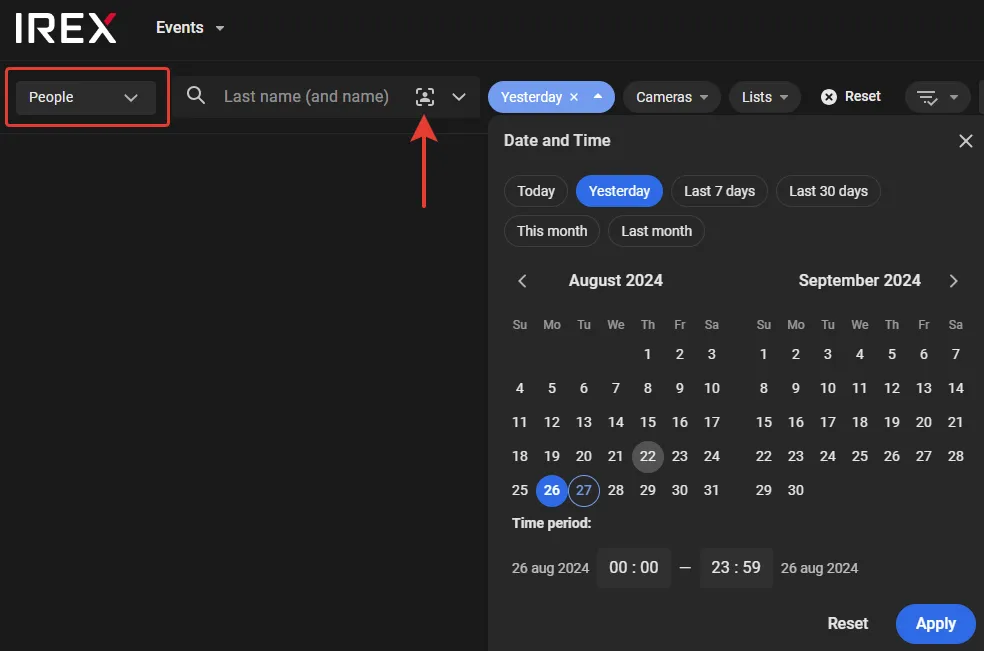
- On the Events screen, select "People" from the dropdown menu on the left. Under the Date and Time filter, select "Yesterday", then click Apply.
- Click as shown to open a standard Open window, then navigate to and select the suspect’s photo file.
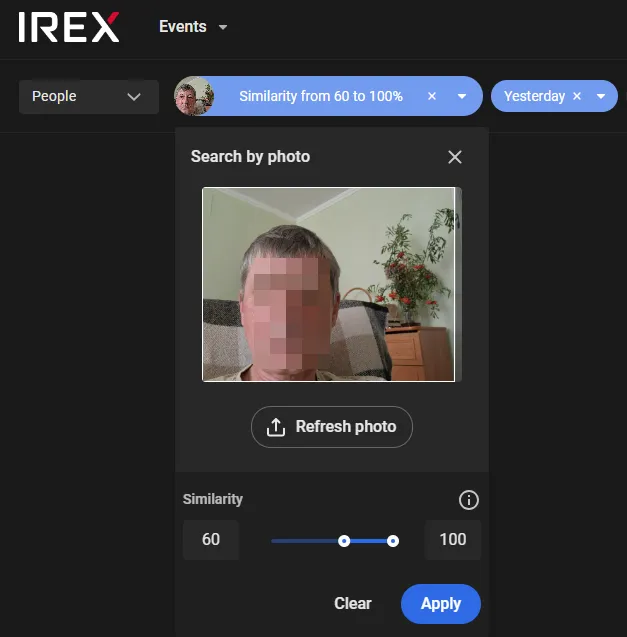
- After the photo upload is complete, adjust the similarity threshold as needed, then click Search.
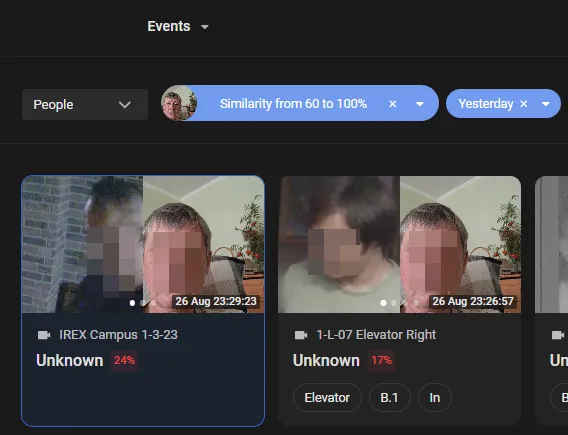
- The search returns a set of personal cards for individuals whose facial features match the uploaded image within the threshold set in step 3. These individuals may or may not already exist in the system database. If an individual exists in the database, all available information about that person, including name, date of birth, and associated vehicles, becomes accessible.
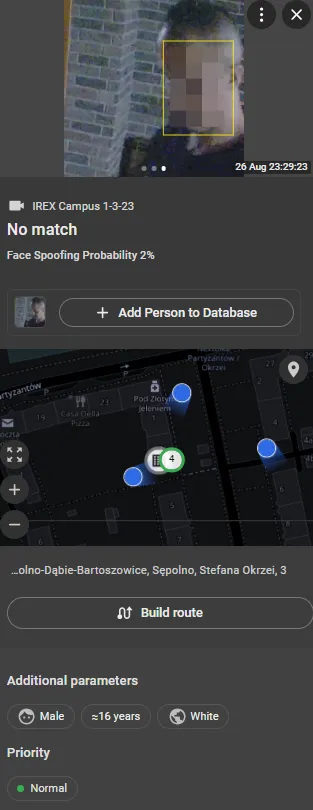
- Click a card to review event details on the right, including where the person was detected, when the detection occurred, and additional context.
- Click Build route to display on the map a segmented line that connects the individual’s detected locations in chronological order.
Verify Ethical Compliance
All face recognition algorithms (and human visual assessment) can show different accuracy rates across demographic groups, such as gender, age, and skin tone. This variation is influenced by training data and operational conditions. While ongoing research continues to reduce bias, it cannot be fully eliminated. An incorrect response to a false identification may have serious consequences, including rights violations and operational, financial, and reputational harm.
Therefore, verify each potential match as thoroughly as possible before taking action, considering all relevant evidence and context.
- In addition to demographic bias, other environmental and technical factors can cause recognition errors. The most reliable way to estimate error rates in a specific operational environment is to collect a statistically significant sample of raw video data and provide it to the IREX Platform team for controlled evaluation.
- If needed, review system logs to see who added a person to the database, when it was done, and what justification was recorded.
- Confirm that personal data are current and that retention and deletion policies are enforced, including the right to be forgotten where applicable.