
AudioTrack
AudioTrack detects gunshots, screaming, glass breaking, and loud noises using the camera microphone.
Meet AudioTrack
Audio Recording Requirements
| Parameter | Requirement |
|---|---|
| Supported audio codecs | AAC, G.711 μ-law/A-law, G.726, PCM |
| Bandwidth | 80 Hz to 16 kHz |
| Bit depth | 8 to 64 bits |
Computational Complexity
The algorithm is rated 1 on a 5-point complexity scale. Average CPU usage is about 20%, and the load can vary with the quality of the audio channel and the processor.
Set Up Distinctive Sound Detection
- Switch on the audio event types to generate under the EVENTS (Loud sound, Gunshot, Glass breaking, Scream).
- For each audio event type, select a priority rating value.
- Drag the Audio sensitivity slider to adjust sensitivity to the event sound volume relative to the background noise level.
- Click Apply.
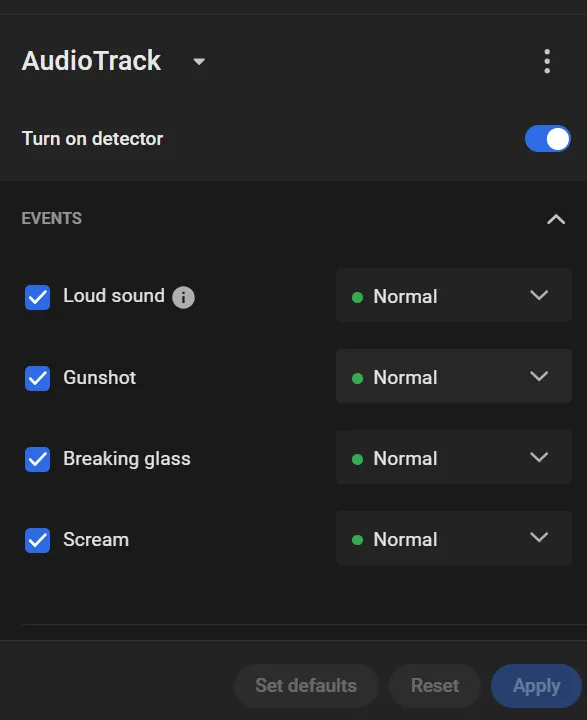
Any loud sound the module failed to identify as one of Gunshot/Glass breaking/Scream is reported simply as "Loud sound".