
External Connections
IREX can integrate with external devices, such as Sigur and Netping, to expand its functional capabilities according to the user's requirements.
Build an External Connection
To do so:
- Run the User Menu > Settings > External connections to see the list of all previously created Sigur or Netping connections.
- Click the "+" in the bottom-right corner.
- Complete the Create External Connection form that opens and click Create.
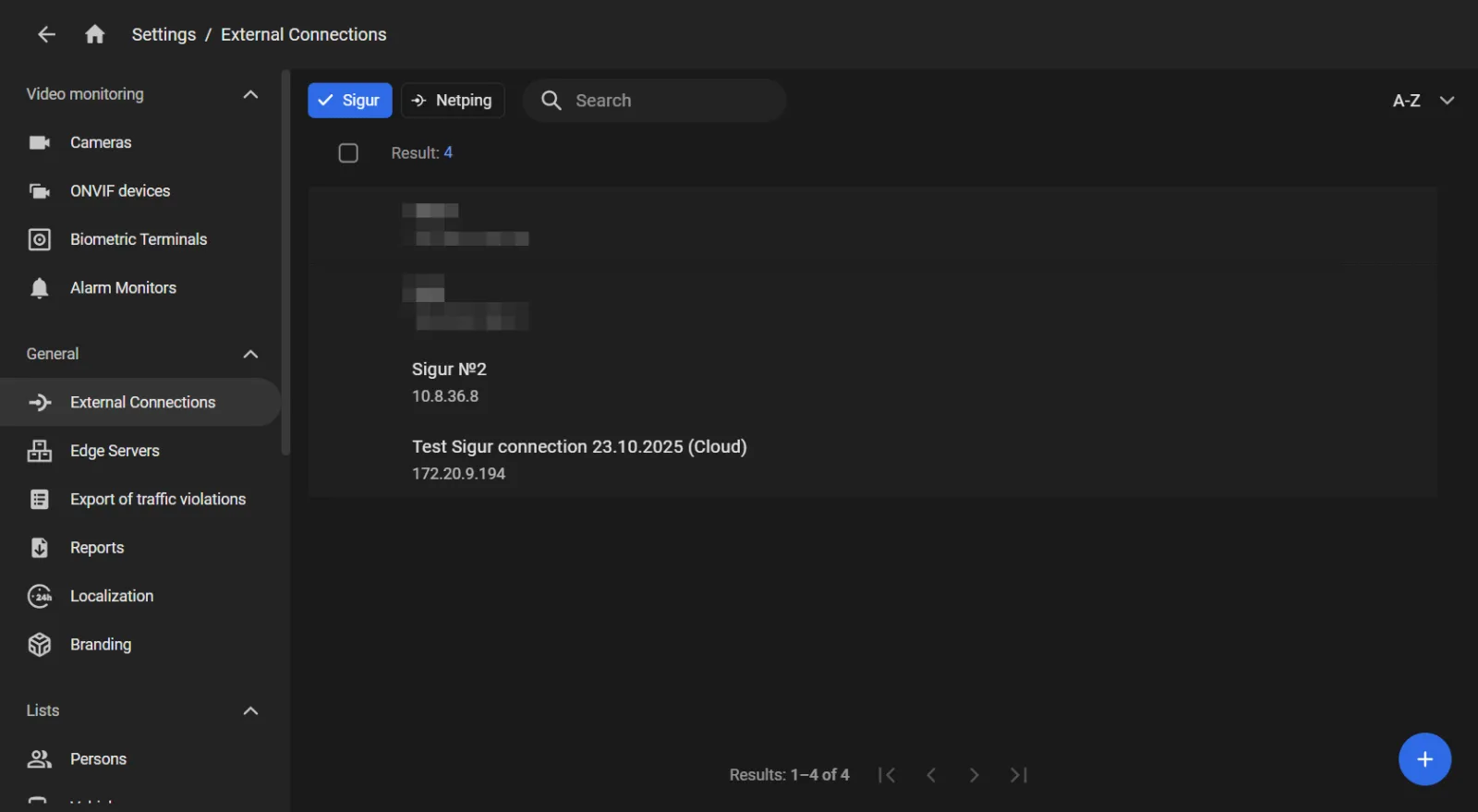
The layout of the form depends on the type of device being connected.
Manage Access to External Devices
Access to external devices can only be managed on a "by user groups" basis.
- In the External connections section on the user group's screen, click the "+" as shown to open the consolidated list of all external connections not assigned to that group yet.
- Checkmark the connections to assign and click Add.
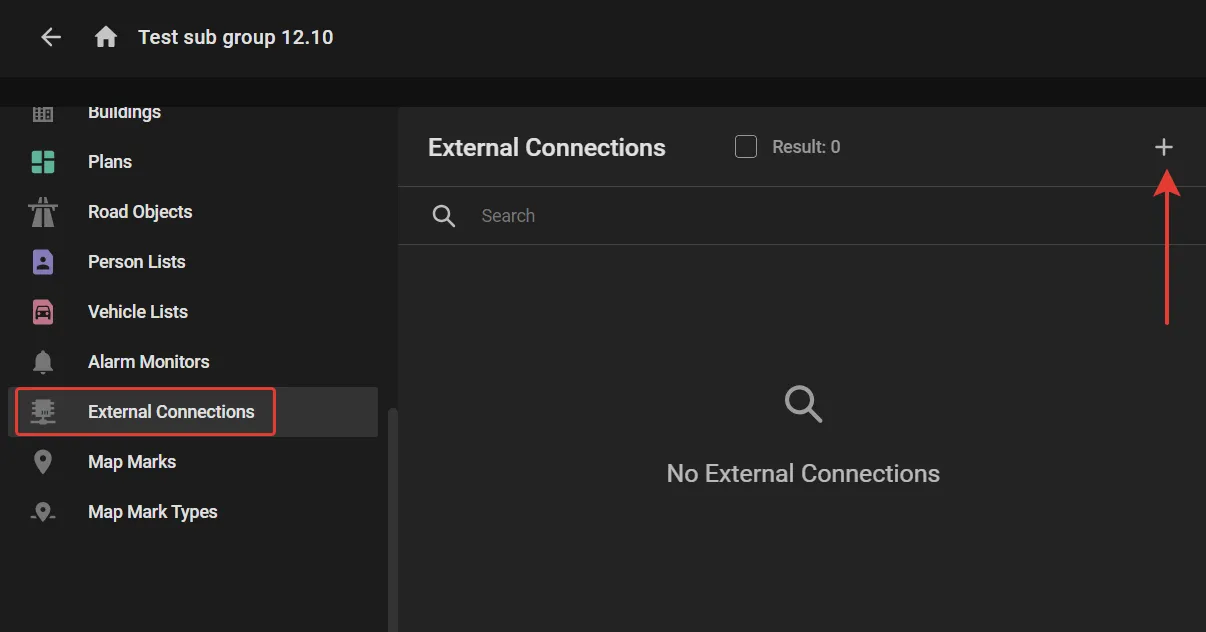
To unassign a connection from a user group, checkmark it in the External connections section on the user group's screen and click the "Bin" button.