
FireTrack
Use the FireTrack module to receive immediate alerts on smoke and fire hazards in both indoor and outdoor environments.
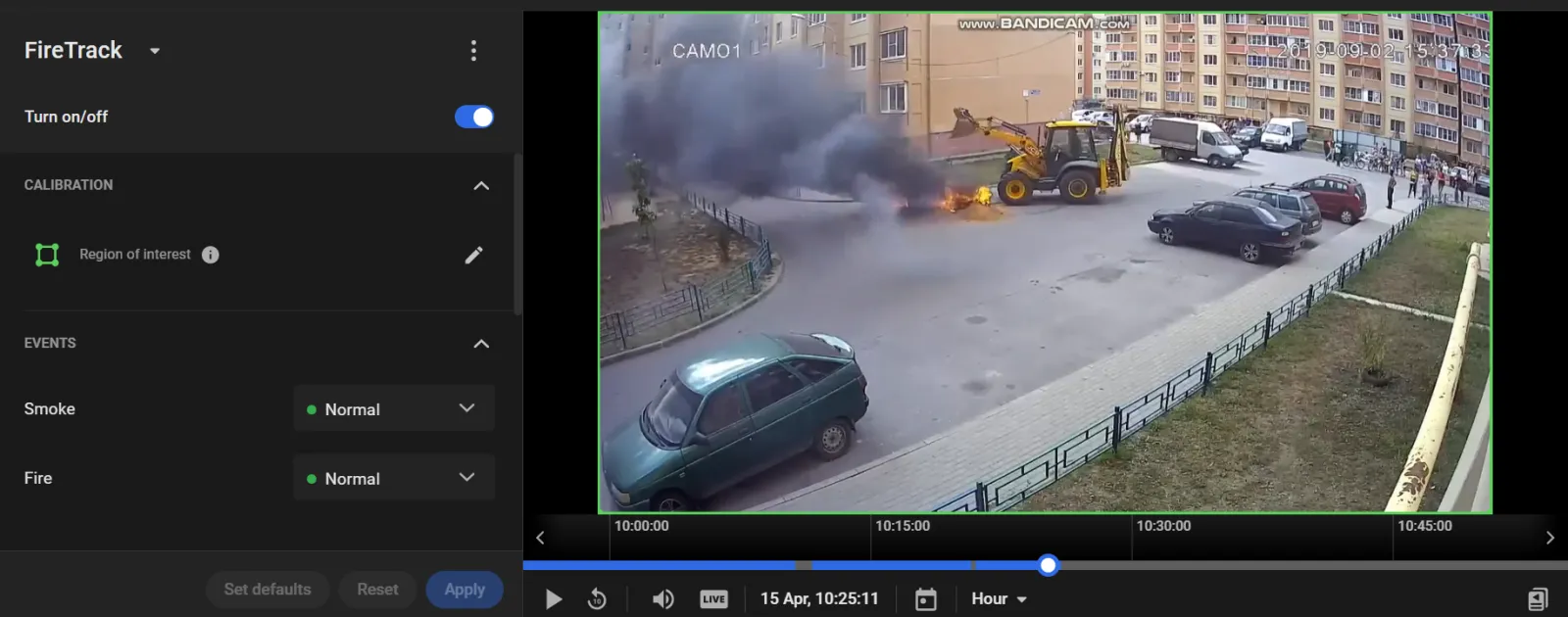
Meet FireTrack
How It Works
A neural network trained to recognize smoke and fire processes the video.
The network looks for the visual signs of smoke and fire. It produces a confidence score, the probability that the frames contain smoke or fire.
For smoke or fire to be detected, the smoke or fire must cover at least 2% of the frame.
The module detects only dense, highly opaque smoke that fully blocks the background. Smoke that dense is treated as a clear sign of a fire. Light haze and steam are ignored, so false alarms stay down.
The confidence score is compared with the threshold in Sensitivity to smoke or Sensitivity to fire. A lower sensitivity requires a higher confidence score before the module creates an event.
The module also compares how long the smoke or fire has been present with the minimum time set for that event.
When every condition is met, the module creates a Smoke or Fire event.
Computational Complexity
The algorithm is rated 3.5 on a 5-point complexity scale. Average CPU usage is about 70%, and the load can vary with video resolution and the processor.
Camera Requirements
To select cameras, use specialized software (for example, IP Video System Design Tool) or a free lens calculator from the camera manufacturer.
| Characteristic | Requirement |
|---|---|
| CMOS sensor size | 1/3″ or larger |
| CMOS sensor light sensitivity | 0.01 lux or less for a color image with automatic gain control (AGC) on at 30 IRE; 0.05 lux or less for a black-and-white image with AGC on at 30 IRE |
| Electronic shutter speed | adjustable from 1/25 to 1/10,000 second, or a wider range |
| Electronic shutter speed adjustment modes | automatic / adjustment range / manual |
| Number of video streams | 2 or more |
| Primary stream resolution | 1280×720 to 2560×1920 pixels |
| Secondary stream resolution (optional, for layouts) | 320×240 to 704×576 pixels |
| Video frame rate | 10 to 25 frames per second |
| Lens focal length | 2.8 mm or longer |
| Primary stream bitrate | up to 8 Mbps |
| Secondary stream bitrate | up to 1 Mbps |
| Video encoding type | constant (CBR) / variable (VBR) |
| Video encoding protocol | H.264 HP/MP/BP, H.265 |
| Network protocol support | TCP/IP, ICMP, HTTP, HTTPS, RTP, RTSP, NTP, SNMP, IGMP, IPv4/IPv6 |
| Video transmission protocol | RTP over TCP |
| ONVIF compatibility (optional, for remote camera control) | ONVIF (PROFILE S, PROFILE G) |
| Built-in illumination | 20 meters or more |
Camera Mount Requirements
| Characteristic | Requirement |
|---|---|
| Camera tilt relative to the horizon | 0° to +75° |
| Image quality at the border of the controlled zone | 25 pixels per meter or more |
| Recommended mounting height | 2.5 to 5 meters above floor or ground level |
| Illumination of the controlled zone | 50 lux or more across the camera scene |
How to Receive Smoke and Fire Alerts
Smoke and fire alerts require immediate response from emergency services.
- Ensure that cameras monitoring fire-prone areas meet the system requirements.
- Enable the FireTrack module and configure detection for smoke and/or fire.
- Configure an alarm monitor with Analytics modules > FireTrack > Smoke/Fire enabled.
Set Up Smoke Detection
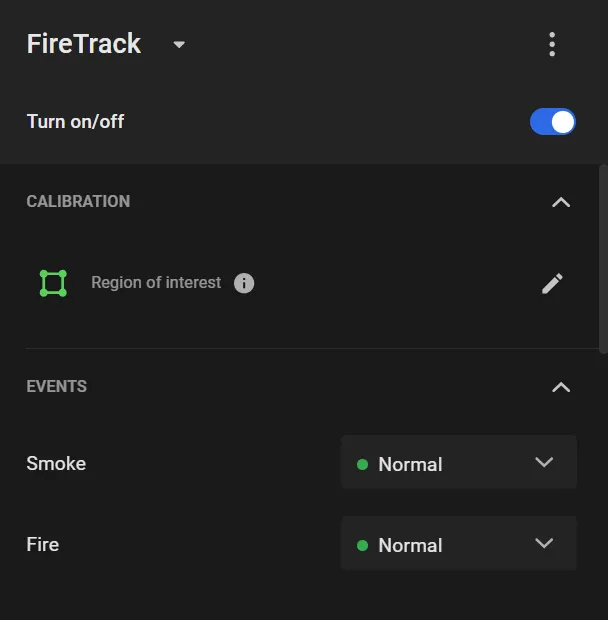
Configure FireTrack parameters under CALIBRATION and ADDITIONAL SETTINGS.
- Region of interest: defines the area of the frame to analyze (highlighted in green). By default, the full frame is used.
To move a vertex, drag it with the cursor.
To delete a vertex, double-click it.
To add a vertex, double-click on an edge.
To move the entire region, drag it from inside the selection.
- Assign priority levels for Smoke and Fire events.
- Sensitivity to fire (0–1): lower values require a larger fire area to trigger a Fire event.
- Sensitivity to smoke (0–1): lower values require higher smoke density to trigger a Smoke event.
- Smoked for longer than … sec: defines how long smoke must persist to be detected.
- On fire for longer than … sec: defines how long a fire must persist before triggering an alert, helping reduce false positives from short-lived events.
When enabled, FireTrack automatically generates the Smoke and Fire events.