
Publish System Notifications
The IREX Admin can publish system notifications, e.g., about scheduled or unscheduled maintenance work, system incident investigations, etc. To do so:
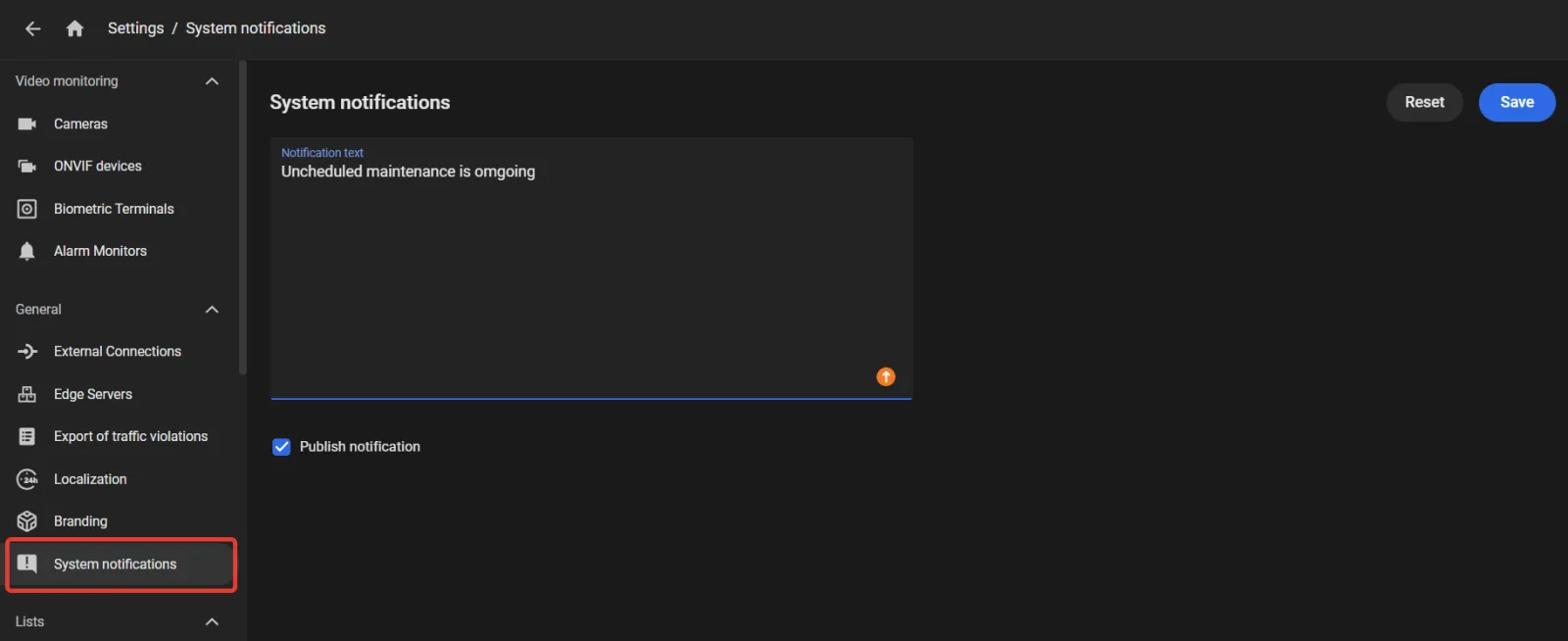
- In the System notifications section of the settings, enter the text of a notification.
- Checkmark Publish notification to show the notification to all system users regardless of the screen they are currently viewing.
- Click Save to show the notification.
- To cancel the notification, uncheck Publish notification, then click Save.
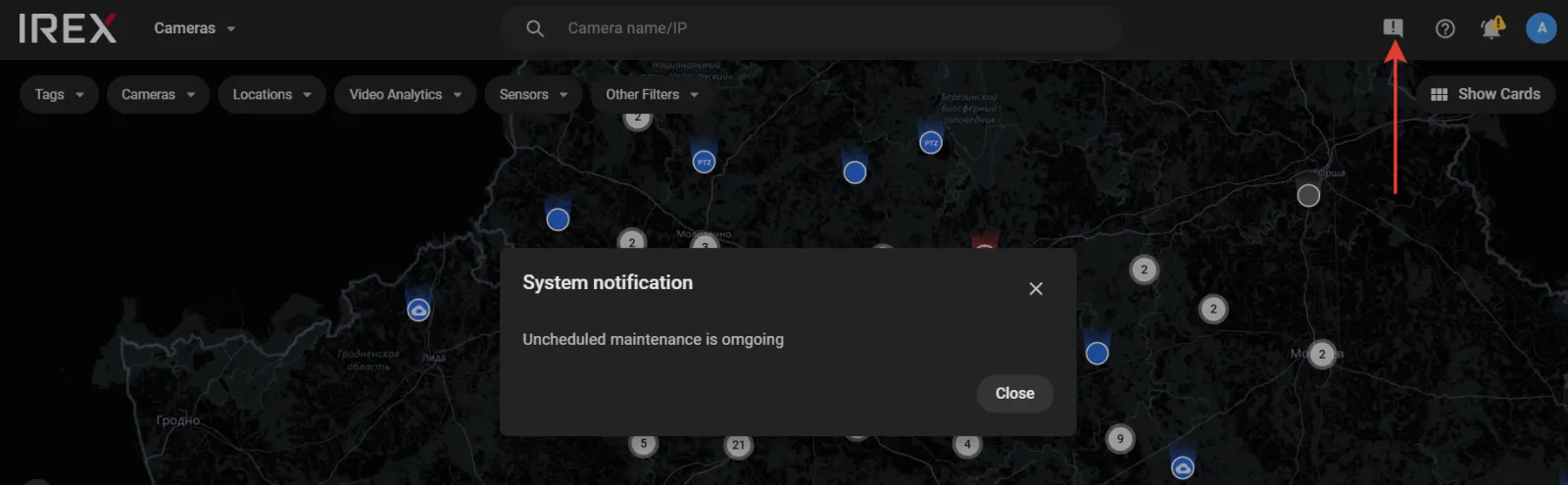
The active notification indicator will also be shown (the red arrow above) until the Admin cancels the notification.