
Stop Line
Definition
A "Stop line violation" occurs if a car:
- Enters a crossroads by crossing the entry line while the red light is on,
AND
- Leaves the crossroads by crossing the exit line while the green light is already on, but the time taken from entry to exit exceeds the Time to cross parameter.
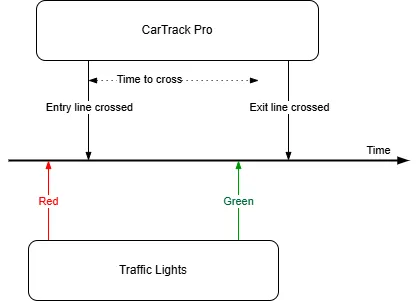
The event of a car crossing a line is detected considering the value of the Focal point.
Workflow to Set Up Stop Line Violations
- Build a road object
- Name the violation.
- Bind cameras to the road object. Then follow Formulate the rule through step 6.
- Set the Time to cross.
- Turn on stop line control
- Review the results
Set the Time to Cross
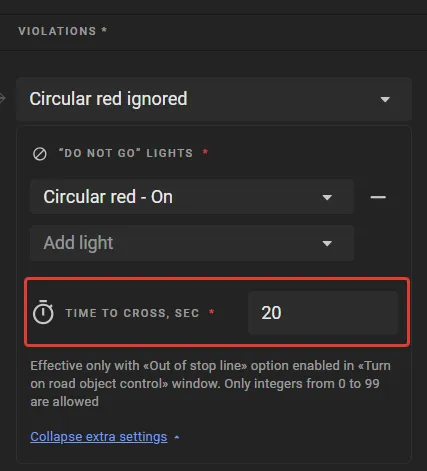
On the rules screen, enter a Time to cross value. Its effect is illustrated in the time diagram.
Turn On Control
Control on a road object stays off until it is turned on. On the road object page, open the Options menu and select Turn on control. In the Turn on Road Object control window, select Stop line, choose the violation name, and click Turn on.
With control on, the platform captures each violation and lists it on Find Traffic Rule Violations.