
Export Video Analytics Module Settings
Settings of a video analytics module or detector that is enabled on a camera can be written (exported) to an external XML file (*.xml), for example to send to IREX staff if the module is not performing as expected.
On the module or detector settings pane, open the options menu and select:
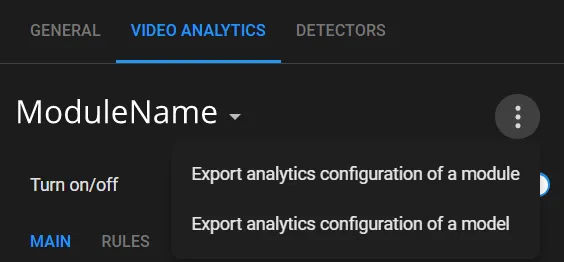
- Export analytics configuration of a module: exports the settings of the video analytics module or detector.
- Export analytics configuration of a model: exports the analytics model settings, including the coordinates of the region of interest, calibration, restrictions, and signal lines.
The settings file is then downloaded to the Downloads folder.