
Lane Restriction Violation
Definition
A lane restriction violation occurs when a vehicle of a specified type (for example, a heavy-duty truck) is detected traveling in a lane where that vehicle type is prohibited (for example, the far-left lane of a highway).
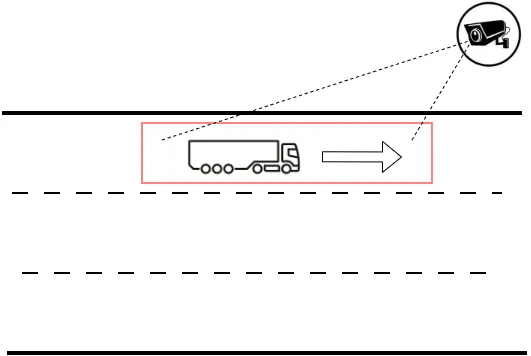
Detecting this type of violation requires:
- A camera monitoring the road segment.
- CarTrack Pro enabled on the camera.
- A Motion control area configured in CarTrack Pro settings (the red rectangle shown above).
- Vehicle type recognition enabled in CarTrack Pro settings.
- Optionally, an overview camera may also be used. No analytics configuration is required for the overview camera.
Lane Restriction Control Workflow
- Create a road object representing the road segment where lane restrictions are enforced.
- Bind cameras to the road object.
- Name the violation.
- Configure CarTrack Pro.
- Create the violation rule.
- Enable road object control.
- Review detected violations.
Set Up CarTrack Pro
In CarTrack Pro settings:
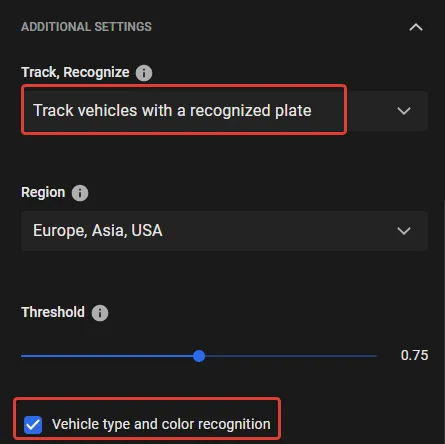
- Set Track, Recognize to Track vehicles with a recognized plate.
- Enable Vehicle type and color recognition.
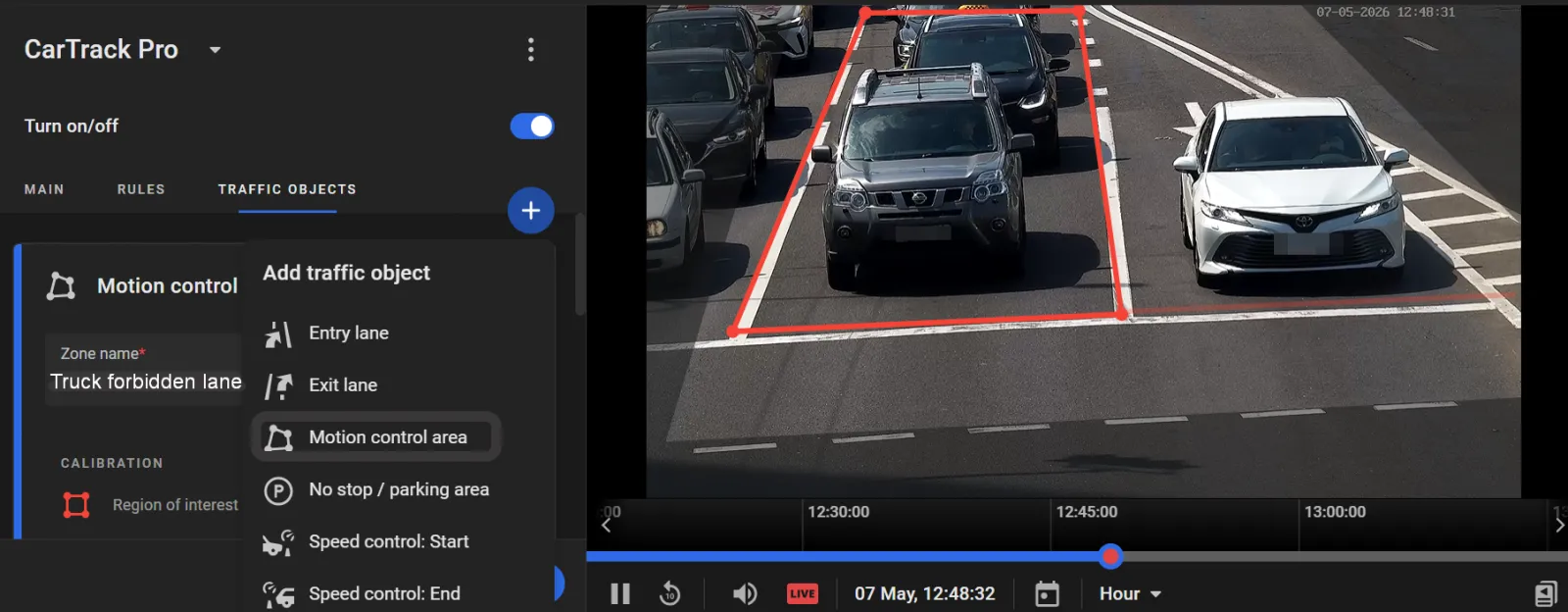
- On the Traffic objects tab, click + > Motion control area and create an area covering the restricted lane.
Assign a descriptive name to the area, such as Trucks forbidden lane.
Formulate the Rule
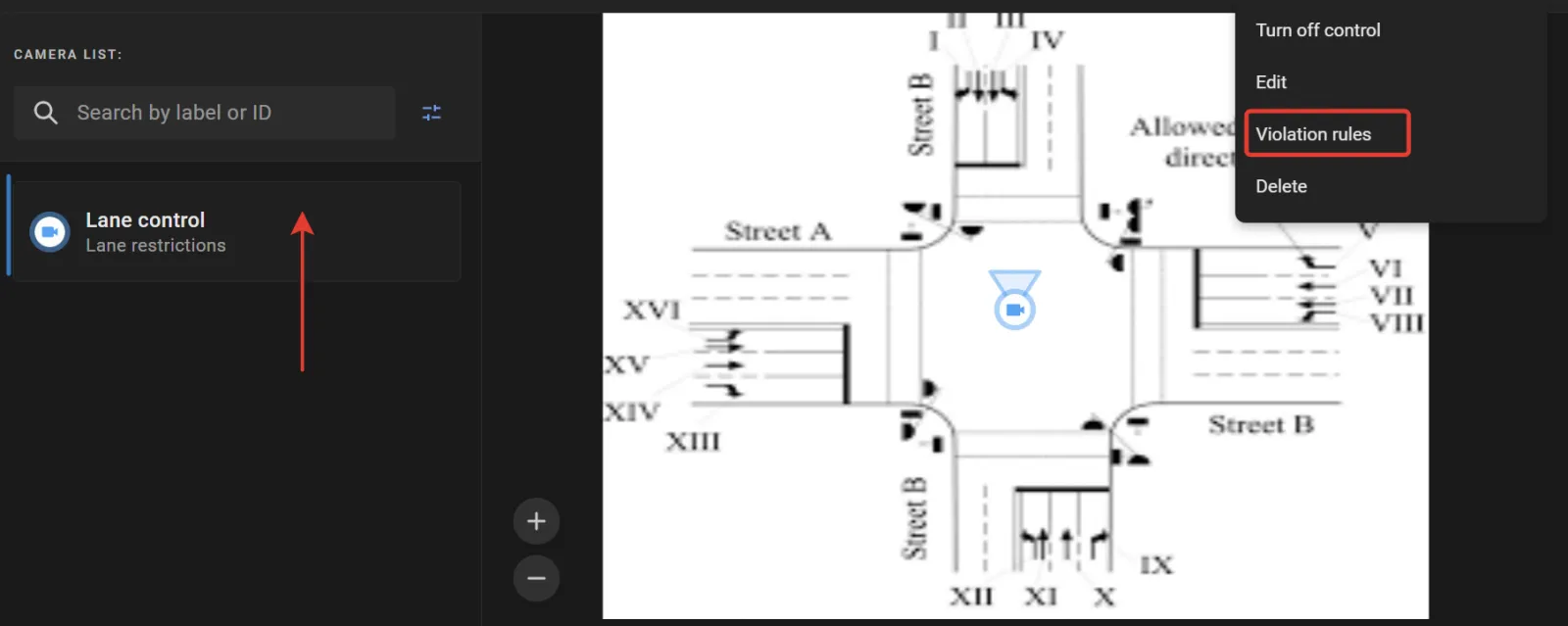
- On the road object screen, under Camera list, click the camera label assigned to the monitoring camera (for example, Lane control).
- Open the Options menu and select Violation rules.
- On the next screen, locate the traffic object created earlier in CarTrack Pro settings (for example, Trucks forbidden lane) and click it.
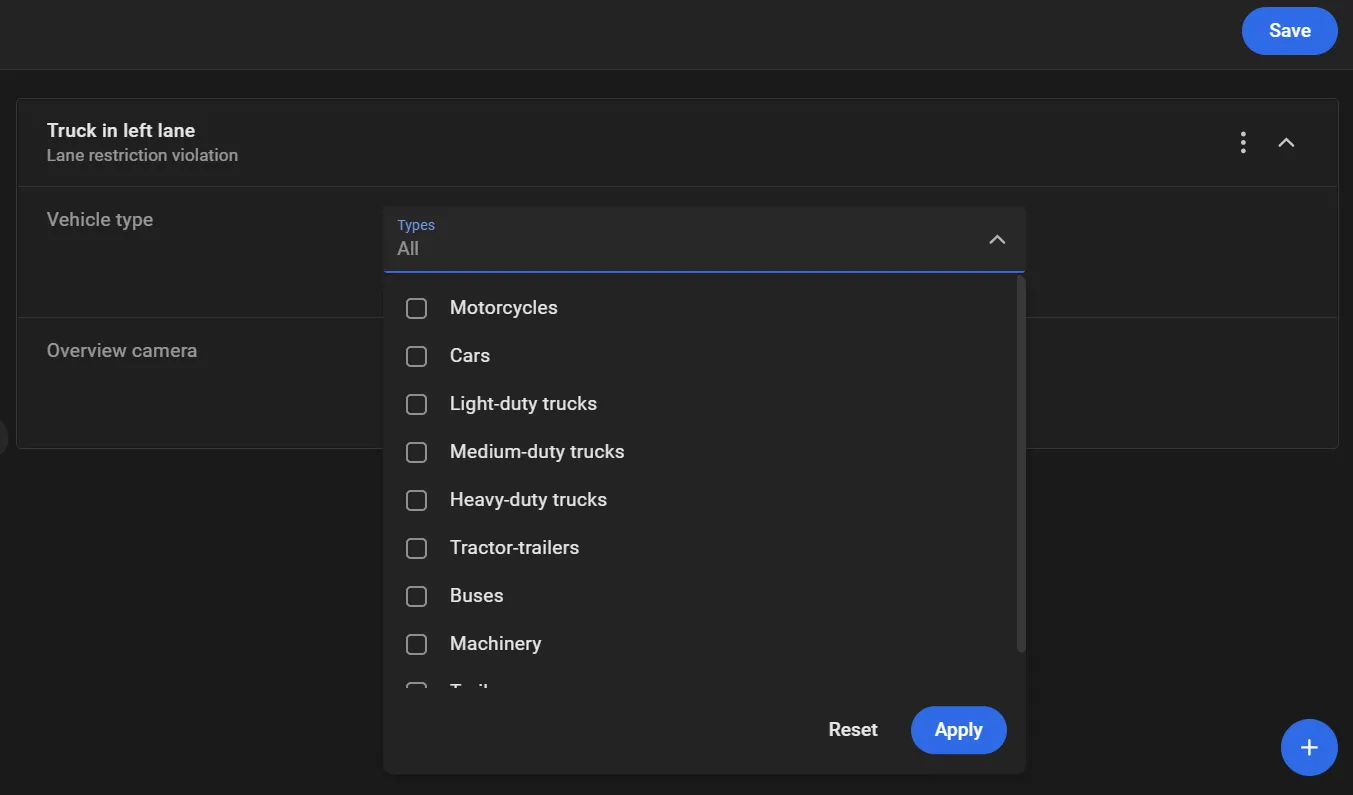
- Click + in the lower-right corner and select the violation name created earlier (for example, Truck in left lane) under Lane restriction violation.
- In the Vehicle type list, select the vehicle types prohibited from using the lane, then click Apply.
- Click Save on the violation rule screen.
.webp)
Turn On Control
Control on a road object stays off until it is turned on. On the road object page, open the Options menu and select Turn on control. In the Turn on Road Object control window, select Lane restriction violation and click Turn on.
With control on, the platform captures each violation and lists it on Find Traffic Rule Violations.
Review Lane Restriction Violations
- On the Traffic Violations page, select Lane restriction violation in the Violation name filter.
- Apply additional filters as needed to narrow the search results.
- Click Search.